Finally starting your tour
While you are still at home
You are almost done - while you are still at home and connected via WiFi to the
Internet you should download the open map data (of the data provider of your choice).
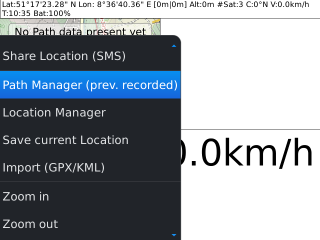
[Accessing Path Manager]
So simple fire up GPSLogger on your BlackBerry Device and go to the Path Manager.
You might like to make use of the key shortcut [SHIFT]+[M]
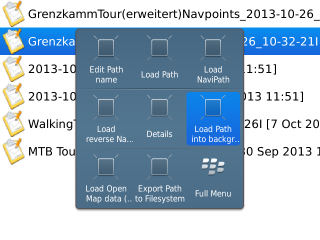
[Load Path into Background]
Once all path meta data has been loaded you simply select your Background path and
select 'Load Path into background' from the BlackBerry Menu.
This will loading the path and if not happen already switch over to the Open Map data
View.
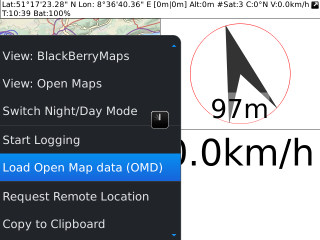
[Request Open Map data]
Open the BlackBerry Menu and select 'Load Open Map data (OMD)'... After a short
while the download should start in the background. The application need to calculate the required
map data and once this has been completed the actual download will start.
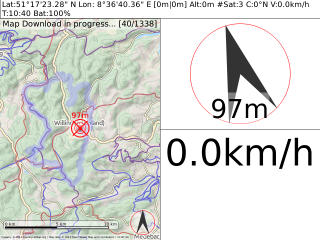
[Map data download in Progress]
So after a short while your display should look similar to this one here. Of course the
number of total map data files that need to be downloaded depends from the selected map provider and
the loaded path.
Please be patient till the download has been completed. More details about the Open Map
data download procedure can be found in the
'Open Map data' Section.
An alternative to the Open Map data download with your BlackBerry device is the use
of a Desktop Tool that can be installed on any Java 1.6+ enabled PC or Mac. For details about this
alternative tool see the
'GPSLogger Open Map data Desktop Tool' Section.
Starting your trip
Now everything is perfectly prepared! You are ready to go - load your Background path as
it has been described above.
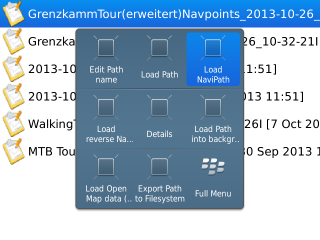
[Loading Navigation Path]
Continue with loading the navigation path via the Path Manager of GPSLogger.
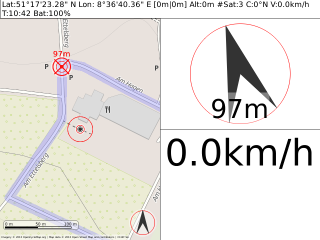
[Starting your Tour]
Ready - steady - GO! GO! GO!
Please note, that the direction of the navigation path is very important - since the
"next" Waypoint calculation is processing the path in the given order. When you realize that the
next waypoint calculation give you strange results (or no new point at all) then this is probably cause
of the "wrong" direction. You should load then the navigation path in reverse order.
